Skill file
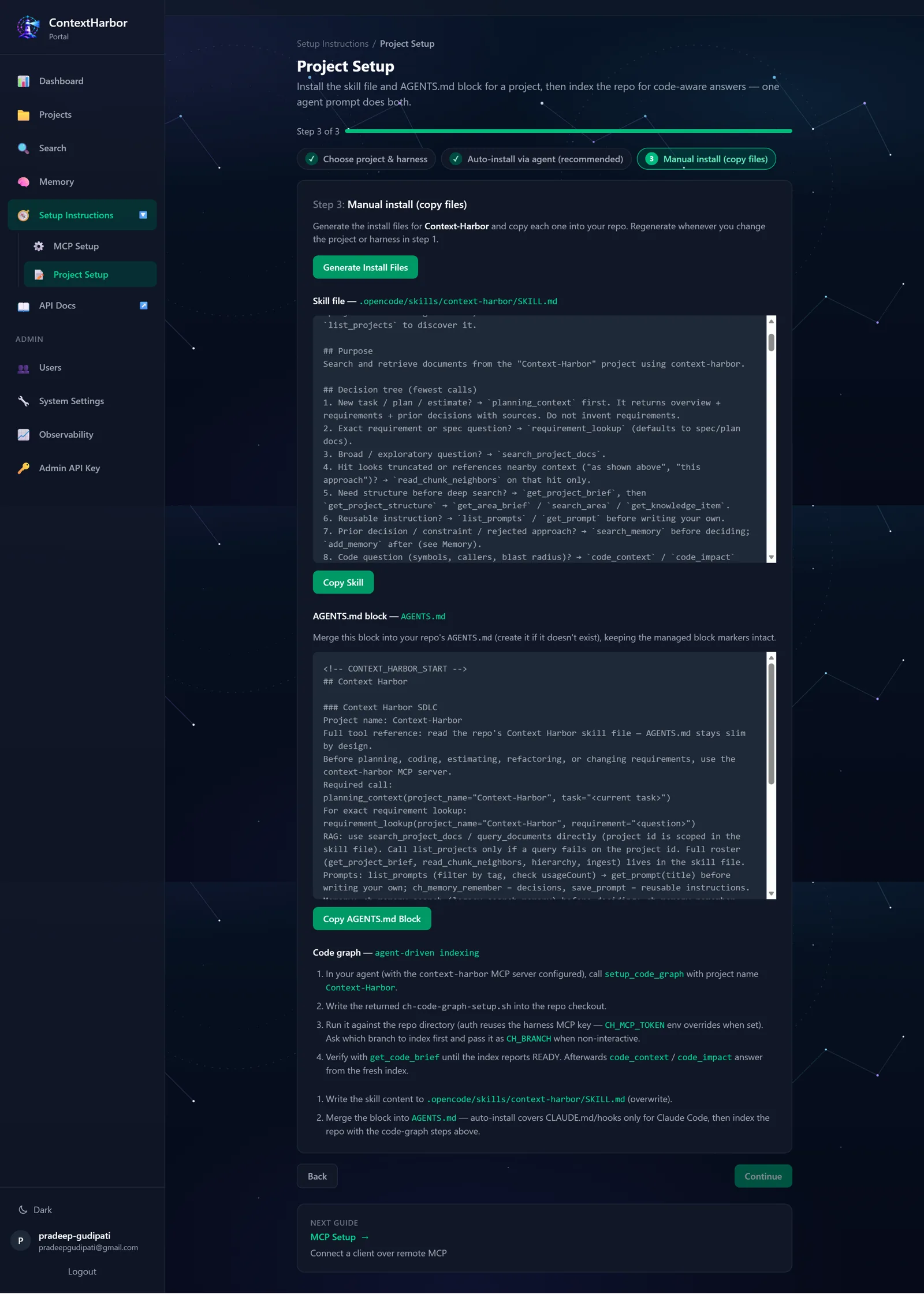
Focused retrieval guidance — query rewriting, doc-type routing, scoping — written to the harness skill path.
Project Setup
Once the ContextHarbor MCP server is connected to your agent, you do not hand-edit config files. Ask in plain language and the agent drives the setup tools, writing each file to its place in the repository.
In the Web portal
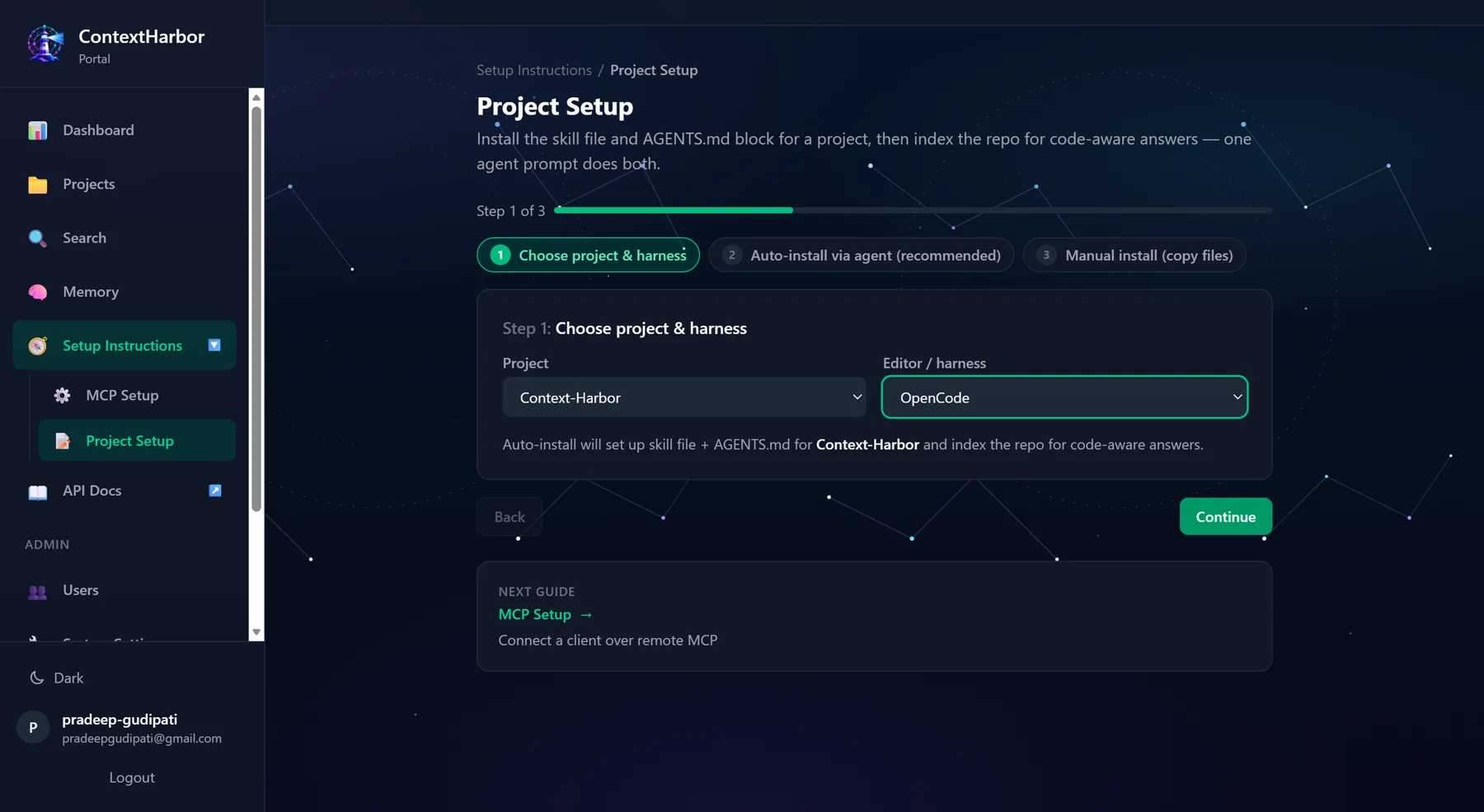
Automatic harness setup
The agent calls setup_agent_harness and writes every
file it returns, rendered for your project with target paths and
merge modes.
Focused retrieval guidance — query rewriting, doc-type routing, scoping — written to the harness skill path.
A managed block merged into the repository's AGENTS.md so any compatible agent knows the project and how to query it.
For Claude Code, a CLAUDE.md block between managed markers plus a memory-capture Stop hook merged into settings.json.
Other harnesses — Cursor, OpenCode, Codex, and generic MCP clients —
receive the skill file and the AGENTS.md block.
setup_harness returns just the Claude Code Stop hook
fragment when that is all you need.
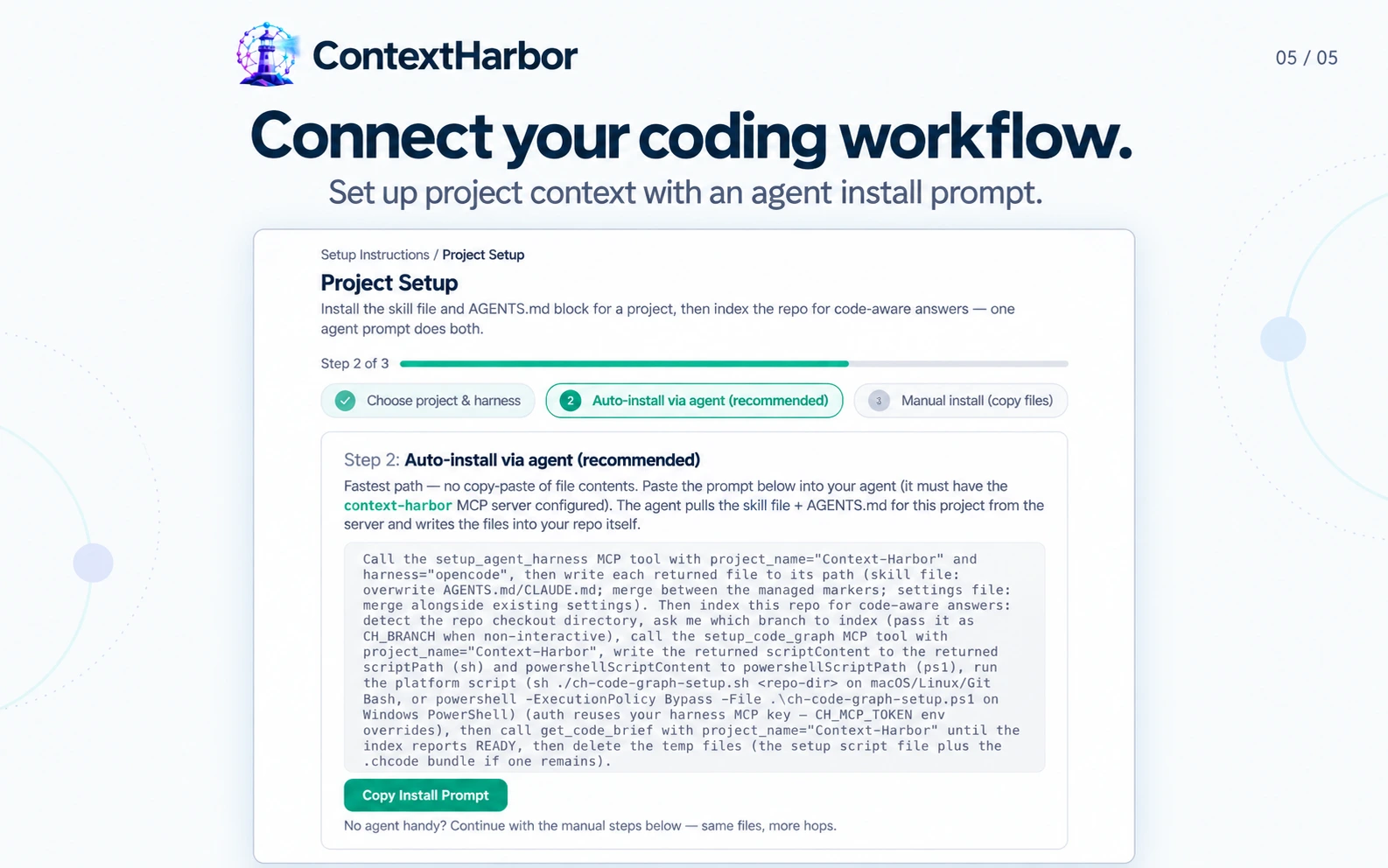
setup_agent_harness, writes each file, then indexes the
repository.
Index the code
setup_code_graph, writes the returned POSIX
script, and runs it. Auth reuses the harness MCP key — no key
prompt.
get_code_brief; reruns auto-delta from
the last indexed commit, or run ch code sync.
Prefer copy-paste?
/setup/project, pick a project and harness and
copy the skill file, AGENTS.md block, and code-graph script.
/setup/mcp, generate the per-harness MCP server
configuration with your key embedded, when the server base URL is
set in admin Settings.
setup_agent_harness
would write, for teams that add the files by hand.
Project Setup
Tell us which repositories and coding tools your team works in.
Pricing depends on deployment, integration, and support requirements.